 XanderFiles
XanderFiles › FB2
How to open an FB2 book on Android
An e-book reader with themes, fonts and bookmarks
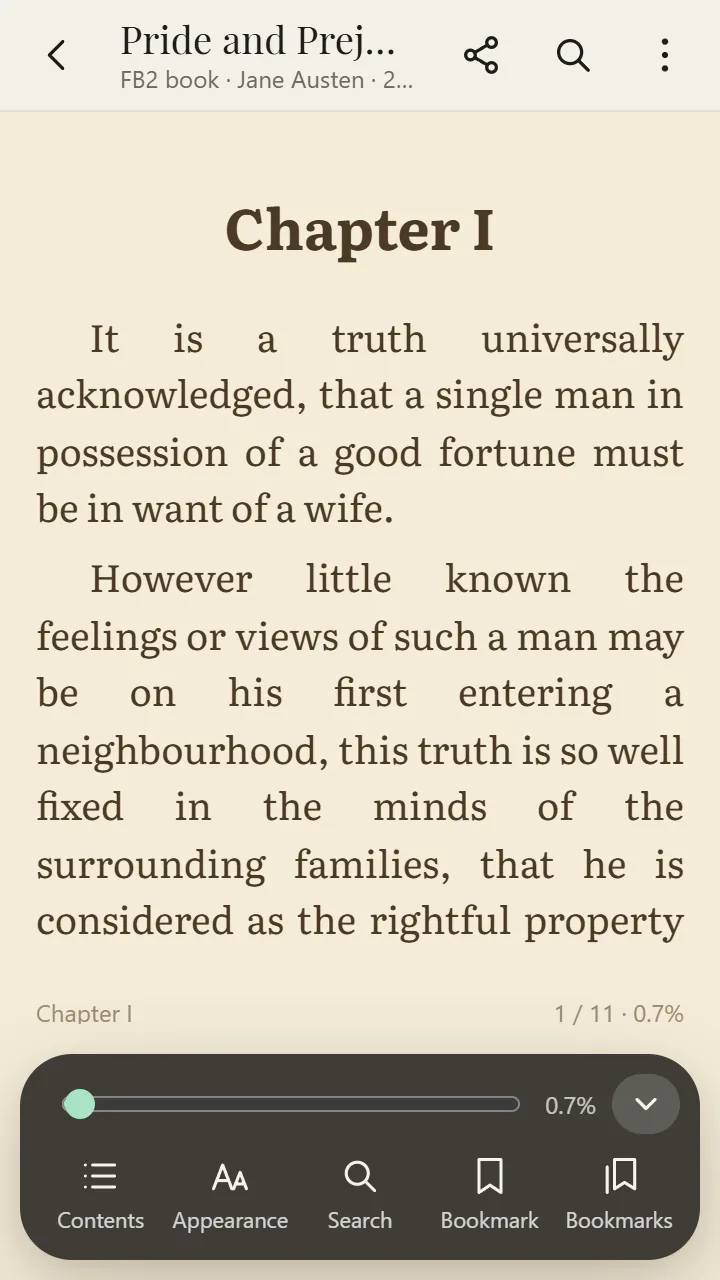
FB2 (FictionBook) is an e-book format popular in Eastern Europe. On Android, the free XanderFiles app opens FB2 books in a full-featured reader: contents, bookmarks, themes and fonts, and it remembers where you stopped.
Get it on Google PlayFree · no ads · no sign-up · offline
What is this file
An FB2 file is XML with the text of the book, the cover and the contents. Many online libraries use it, and books often come zipped as .fb2.zip.
Android has no built-in FB2 reader, and a browser shows the book as raw text with tags.
How to open it
- Install XanderFiles from Google Play. It is free, with no ads and no sign-up.
- Tap the .fb2 file wherever you have it: in Downloads, in Telegram or on Google Drive.
- When Android asks which app to use, choose XanderFiles. Or the other way round: open XanderFiles, tap “Open file” and pick the file in Downloads or Google Drive.
- The book opens with its cover, contents and text. Turn pages with a tap or with the volume keys.
What you can do
- Pages or scrolling; turn pages with the volume keys
- Font, size, line spacing, margins; sepia, night and other themes; brightness
- Contents, search, bookmarks
- Your reading position is remembered for every book
- EPUB, MOBI, AZW3 and CBZ comics open too
Good to know
- There is no sync between devices: books and bookmarks stay on your phone.
Questions
Can it open FB2 inside a ZIP archive?
Yes: open the archive and tap the book inside.
Is there a night mode?
Yes: a dark “Night” theme, sepia and more, plus brightness control right in the reader.
Is it free?
Yes. No ads, no sign-up, and it works offline.
Other formats
Free · no ads · no sign-up · offline