 XanderFiles
XanderFiles › PKPASS
How to open a PKPASS file on Android
Apple Wallet boarding passes, tickets and cards
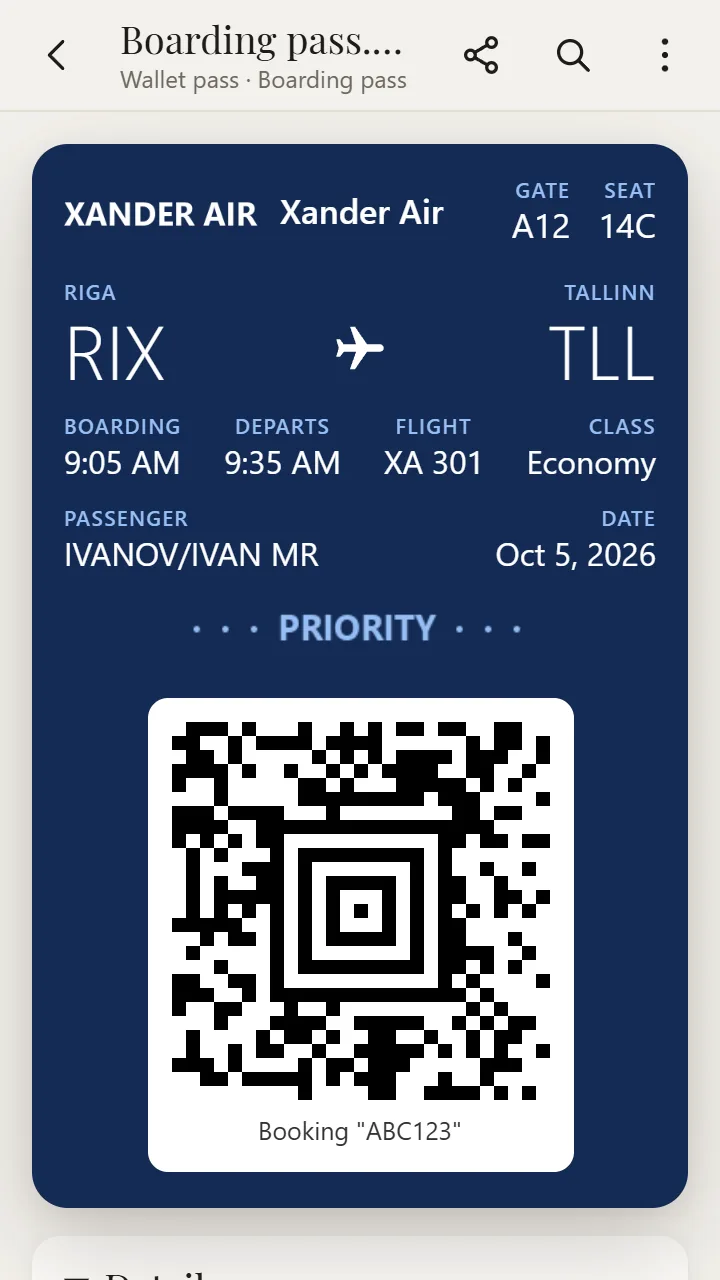
A PKPASS file is an Apple Wallet pass: a boarding pass, a train or concert ticket, a coupon. On iPhone it opens by itself; on Android, the free XanderFiles app opens it with all fields and a barcode you can show at the gate.
Get it on Google PlayFree · no ads · no sign-up · offline
What is this file
Airlines, ticket sellers and shops send PKPASS files by email or on their websites (“Add to Apple Wallet”). Inside is a ZIP with the pass fields, images and the barcode.
Android does not open these files on its own.
How to open it
- Install XanderFiles from Google Play. It is free, with no ads and no sign-up.
- Tap the .pkpass file wherever you have it: in an email from the airline or ticket seller, in Telegram or in Downloads.
- When Android asks which app to use, choose XanderFiles. Or the other way round: open XanderFiles, tap “Open file” and pick the file in Downloads or Google Drive.
- The pass opens like in Wallet: flight or event, seat, time and the barcode. While the pass is open, the screen stays at full brightness and does not turn off, so scanners read it at once.
What you can do
- Show the barcode: QR, Aztec, PDF417, Code128
- All pass fields: flight, gate, seat, time, booking reference
- Full brightness while the pass is open
- Several passes in one file (.pkpasses)
Good to know
- Pass updates (such as a gate change) do not arrive: it is a snapshot of the pass when you downloaded it.
Questions
Will the barcode from XanderFiles work at the gate?
It is the same barcode as in Apple Wallet: the scanner reads the code, not the app. Keep the airline’s email handy just in case.
Does it work offline?
Yes. Open the pass in advance and you will not need internet at the airport.
Is it free?
Yes. No ads and no sign-up.
Other formats
Free · no ads · no sign-up · offline