 XanderFiles
XanderFiles › XML
How to open an XML file on Android
Readable, with indentation and the right encoding
XML is a text format for data: e-invoices, bank and tax documents, exports from apps and websites. On Android, the free XanderFiles app opens XML files with indentation and the right encoding, so you can read them on a phone screen.
Get it on Google PlayFree · no ads · no sign-up · offline
What is this file
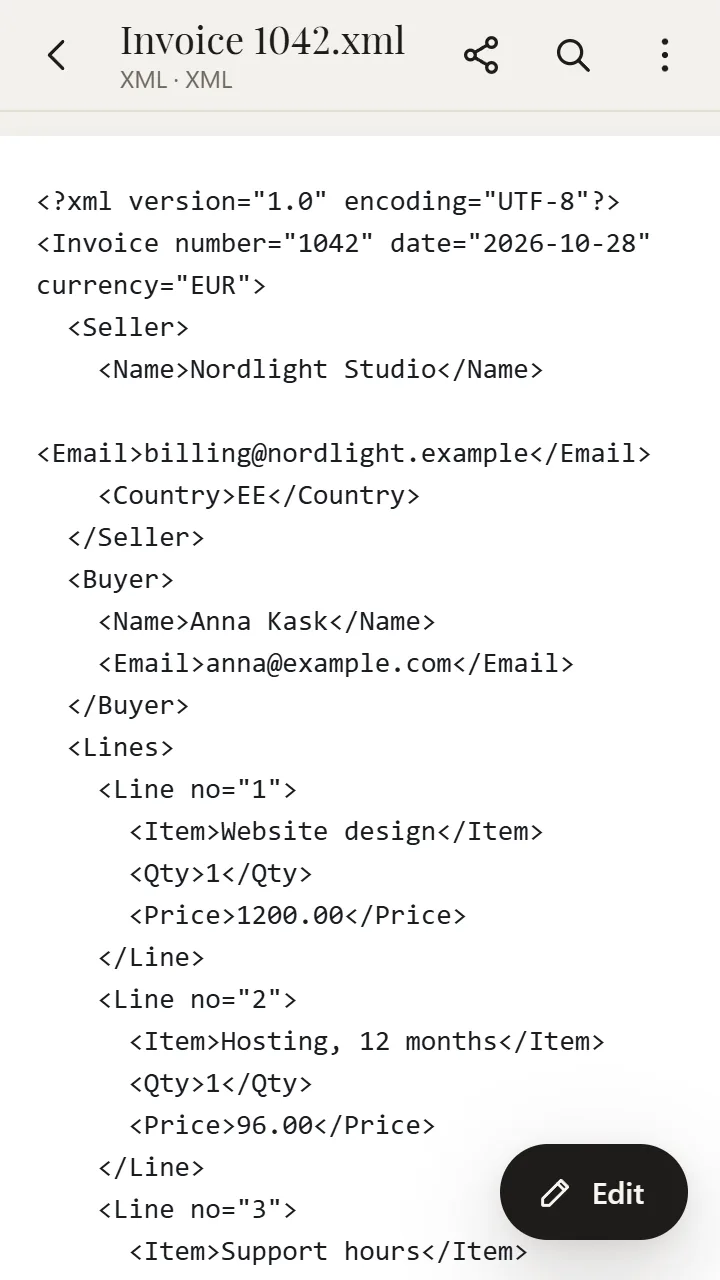
An XML file holds data in tags: <Name>, <Date>, <Amount>. Many systems save XML as one endless line, sometimes in an old encoding — so a plain text viewer shows a wall of text or broken characters.
Some XML files come with a digital signature: an .xml.p7m file or a separate .p7s or .sig. XanderFiles opens those too.
How to open it
- Install XanderFiles from Google Play. It is free, with no ads and no sign-up.
- Tap the .xml file wherever you have it: in an email attachment, in Telegram, WhatsApp or in Downloads.
- When Android asks which app to use, choose XanderFiles. Or the other way round: open XanderFiles, tap “Open file” and pick the file in Downloads or Google Drive.
- The XML opens with line breaks and indentation, in the right encoding. You can select and copy the text, and find any word with the magnifier button.
What you can do
- Read one-line XML: line breaks and indentation are added for you
- Correct characters: the encoding is detected automatically
- Search with the magnifier button, select and copy text
- Edit the XML and save it
- Open signed XML (.xml.p7m) and see who signed it
Good to know
- XanderFiles shows XML as a structure with tags, not as a formatted printable form (for example, an invoice layout).
Questions
Why does my XML file show strange characters?
It was saved in a different encoding than the viewer expects. XanderFiles detects the encoding by itself.
Can I edit an XML file on my phone?
Yes: open it in XanderFiles, switch to editing, make your changes and save.
Is it free?
Yes. No ads, no sign-up, and your files never leave the phone.
Other formats
Free · no ads · no sign-up · offline