 XanderFiles
XanderFiles › RAR
How to open a RAR file on Android
RAR4 and RAR5, password-protected archives
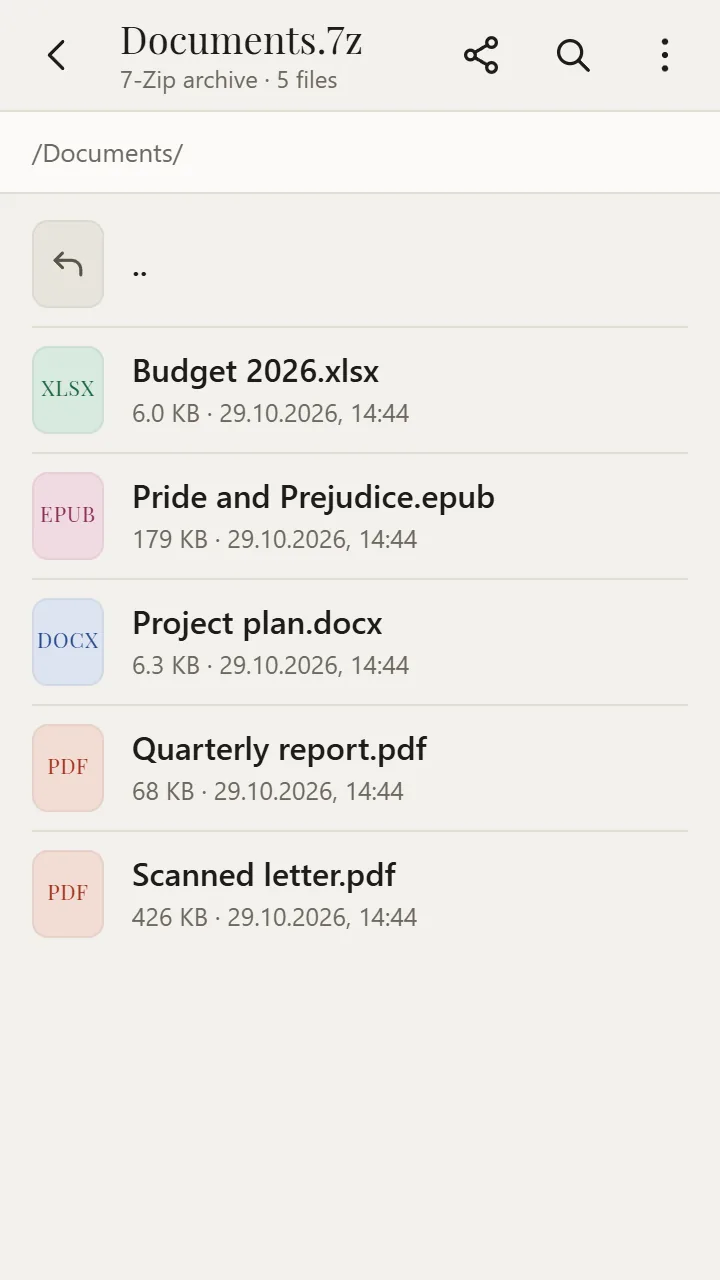
RAR is the popular WinRAR archive format. Android cannot open it on its own, but the free XanderFiles app can: it shows the files inside and opens them right away, without extracting — RAR5 and password-protected archives included.
Get it on Google PlayFree · no ads · no sign-up · offline
What is this file
RAR archives carry collections of documents, scans, books and photos. XanderFiles extracts RAR with the 7-Zip code.
How to open it
- Install XanderFiles from Google Play. It is free, with no ads and no sign-up.
- Tap the .rar file wherever you have it: in Downloads, in Telegram, WhatsApp or in an email attachment.
- When Android asks which app to use, choose XanderFiles. Or the other way round: open XanderFiles, tap “Open file” and pick the file in Downloads or Google Drive.
- The list of files opens. Tap a file and it opens right away; for a password-protected archive the app asks for the password.
What you can do
- RAR 1.5–5 archives, including password-protected ones
- Open any file inside without extracting
- Send a file from the archive to a messenger or Google Drive with “Share”
- CBR comics open as archives
- Also 7Z, ZIP, TAR, GZ, ISO and more
Good to know
- It cannot create RAR archives — only WinRAR can.
Questions
Does XanderFiles open RAR5?
Yes, RAR5 as well as older RAR4.
Do I need to extract it?
No. Files open straight from the archive.
Is it free?
Yes. No ads, no sign-up, and it works offline.
Other formats
Get it on Google Play
Free · no ads · no sign-up · offline